
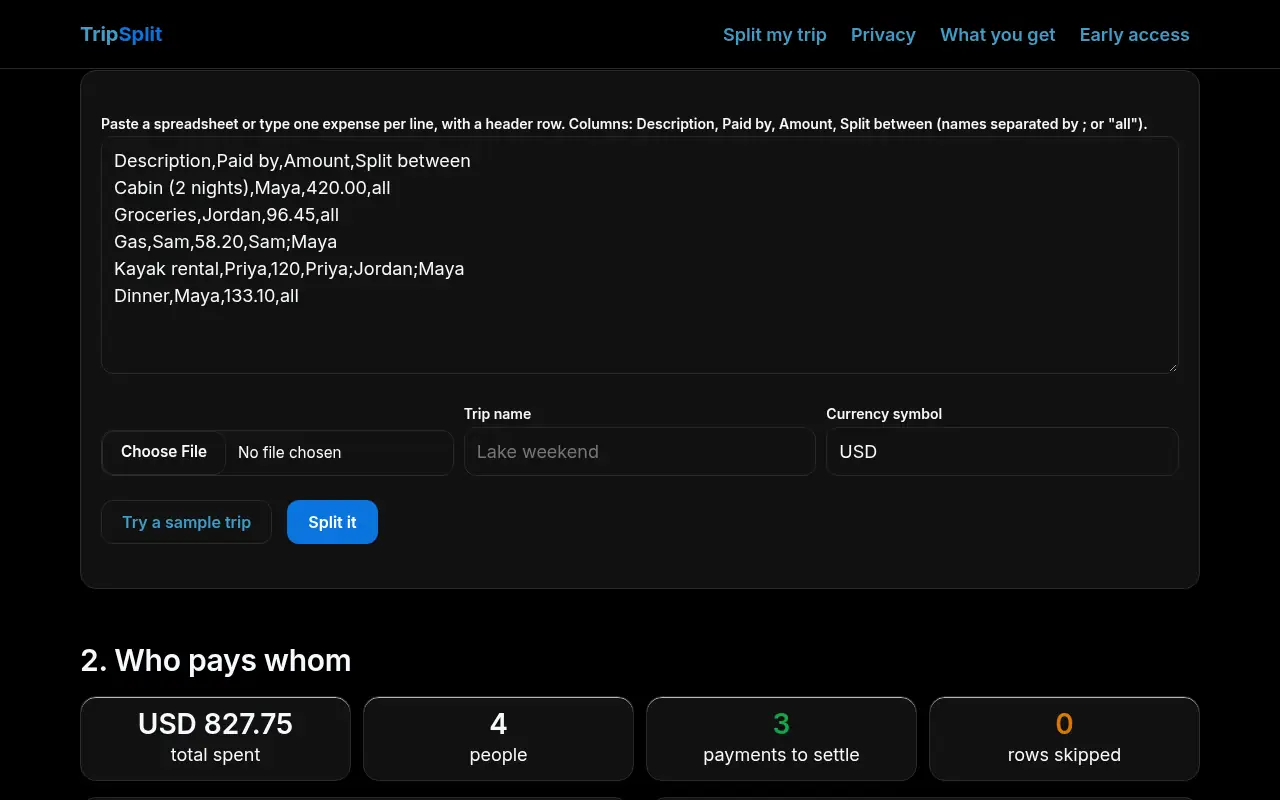
1. Add your expenses
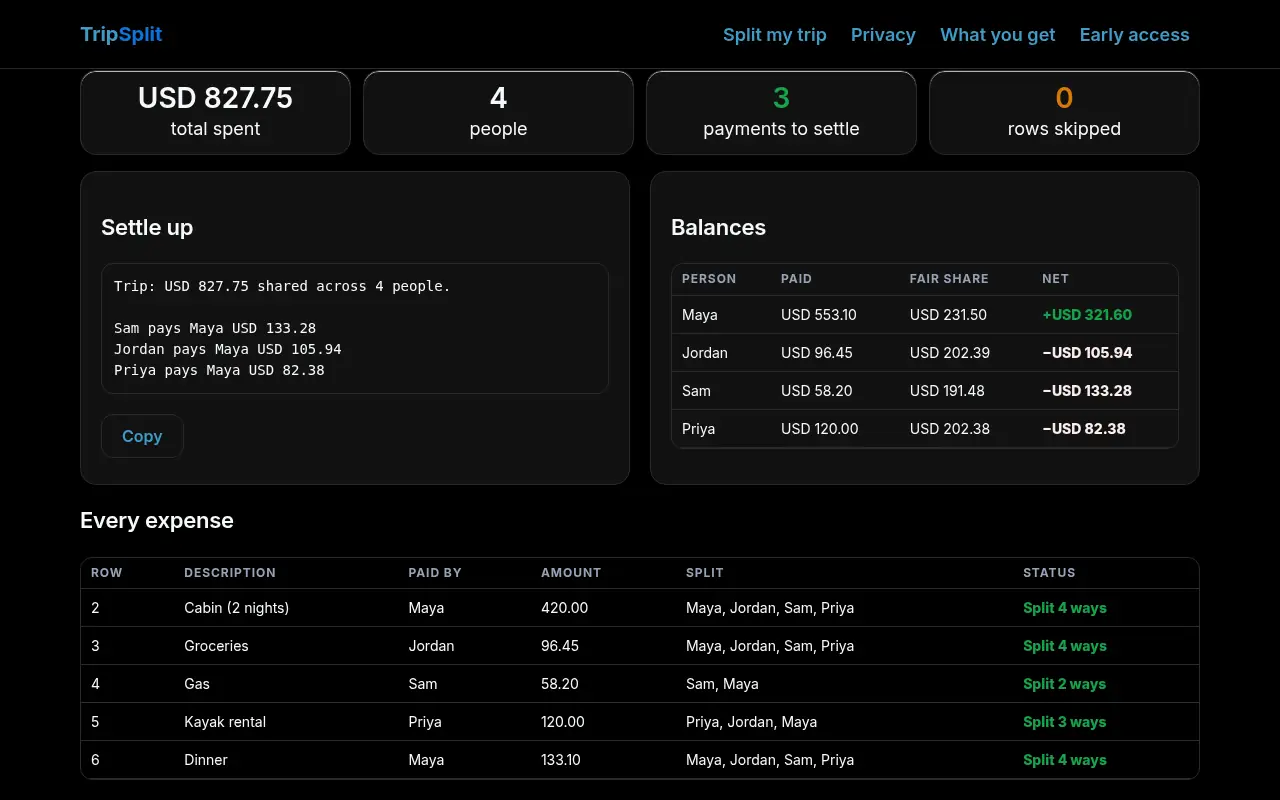
2. Who pays whom
Settle up
Balances
Every expense
How it works
Fair shares
Each expense is split equally between the people listed for it, or everyone if you write "all". Money is handled in whole cents, and leftover pennies are assigned so shares always add up exactly to what was paid.
Fewest payments
Balances are settled by matching the person who owes most with the person owed most, repeatedly. That never needs more than one payment fewer than the number of people.
Your rows, checked
Rows with no payer or an unreadable amount are skipped and listed, so nothing is silently dropped. Refunds can be entered as negative amounts.
Equal splits only for now (no percentages or item-by-item receipts) and one currency per trip. TripSplit does not move money.
Privacy
Your data stays in your browser. Everything you paste or upload is read and processed by JavaScript on this page. Nothing is uploaded, stored on our servers or shared. The only thing this site ever sends is the waitlist form below, and only what you type into it (email and two optional answers), stored in a private Cloudflare KV list that we use only to email you about TripSplit. No ads, no third-party scripts, no tracking cookies. To have your waitlist entry deleted, email smurphy@roicpleadgen.com.
See it work
Real screenshots of TripSplit on this page, taken in a headless browser with the built-in sample data. Sample data only; nothing was uploaded.
What you get
TripSplit is free during early access. No card and no sign-up to use the tool on this page. Join the waitlist and we'll email you before anything changes.
Today, free in your browser
- Each person's fair share
- The shortest list of payments to settle up
- A settle-up list you can copy into the group chat
- Your rows, checked
Planned, if the waitlist asks
- Saved trips
- Uneven splits
- Multi-currency
Want saved trips, uneven splits and multi-currency?
We'll only email you about TripSplit. No spam, unsubscribe any time.
Prefer email? smurphy@roicpleadgen.com
Questions
Do my friends need an account?
No. Nobody signs up. Paste the expenses, copy the result, done.
Can I use a spreadsheet?
Yes. Export it as CSV or copy the cells and paste them, including the header row.
Is anything saved?
No. Close the tab and it's gone, so download the CSV if you want a record.